
Website accessibility: what Romania’s Law 232/2022 requires and how to check in 10 minutes
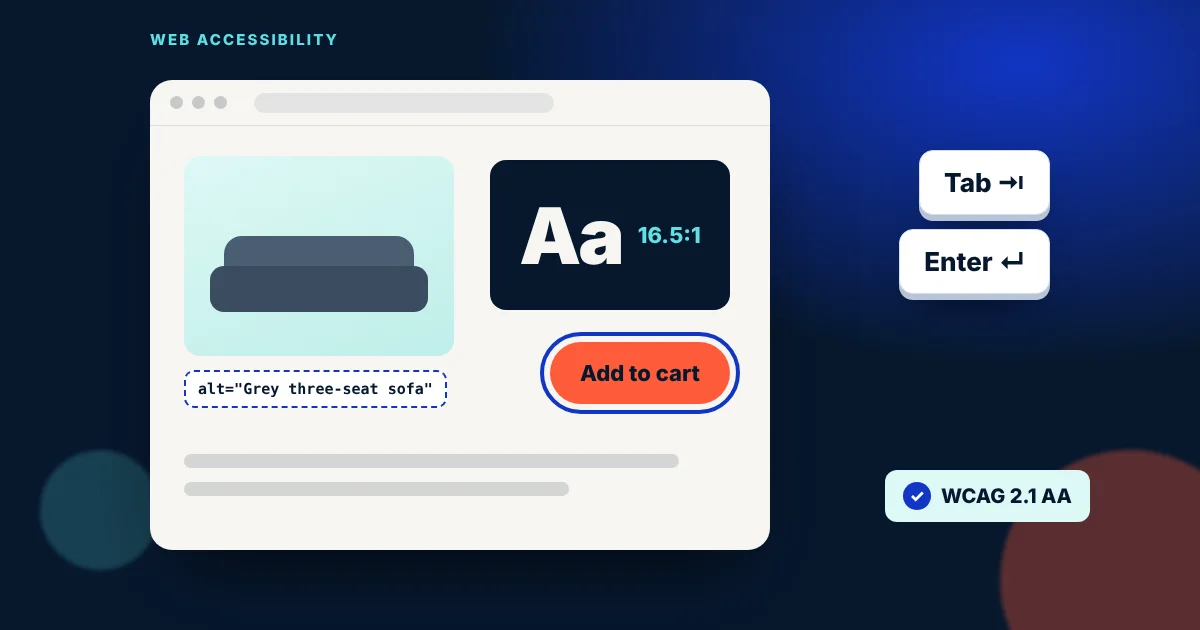
Picture a customer who wants to order from your website but can't read the light-grey text on a white background. Or one who doesn't use a mouse and gets stuck on the cookie pop-up. They don't leave because they dislike the product. They leave because the website won't let them buy.
Since 28 June 2025, Romania has applied Law 232/2022 on the accessibility of products and services. Many business owners have heard of it; few know whether it applies to them. Below you'll find what the law asks for, who is exempt, what you can check yourself in 10 minutes, and why it's worth doing even if you're not required to.
What the law says, in short
Law 232/2022 brings EU Directive 2019/882, known as the European Accessibility Act, into Romanian law. For a business with a website, the key part concerns e-commerce services: services provided remotely, through a website or mobile app, through which a consumer concludes a contract. In other words, an online store selling to individuals.
- When: the obligations apply from 28 June 2025.
- What “accessible” means: people with visual, hearing or mobility impairments must be able to use the site. In practice, the technical reference is the European standard EN 301 549, built on the international WCAG guidelines (level AA).
- Disclosure: the provider must publicly explain how the service meets the accessibility requirements (usually a dedicated page or section on the site).
- Who checks: for e-commerce, the Romanian Digitalisation Authority (ADR), under Art. 19 of the law.
- Penalties: for service providers' obligations, the law sets fines that range, depending on the breach, from 5,000 to 15,000 lei (Art. 27), plus additional measures.
Who is exempt? Art. 4(5) states that microenterprises providing services are exempt from the accessibility requirements. The law defines a microenterprise as a company with fewer than 10 employees and annual turnover of no more than €2 million. You can read the full text (in Romanian) on legeaz.net.
A business website that only presents what you do and has a contact form, with no online sales to consumers, generally doesn't count as an “e-commerce service” under the law. If customers can pay, book or sign a contract directly on the site, though, take a closer look.
30-second test: does it apply to you?
Answer three questions. The result is indicative and doesn't replace legal advice, but it quickly shows where you stand.
Answer all three questions.
Why it matters even if you're exempt
980,873
people with a disability certificate in Romania at the end of 2025 (ANPDPD)
95.9%
of the world's top 1 million home pages have automatically detectable WCAG errors (WebAIM, 2026)
83.9%
of those pages have low-contrast text, the most common problem
Almost a million people with registered disabilities, according to ANPDPD figures reported by Newsweek Romania, are real customers. Add parents and grandparents who struggle with small print, anyone using their phone one-handed, or reading in bright sunlight. The WebAIM Million 2026 report shows that nearly every site has issues, and six error types (contrast, missing alt text, unlabelled form fields, empty links and buttons, missing page language) make up 96% of all errors found.
The good news: these same fixes help with Google. Alt text describes your images, ordered headings explain the page structure, and a site that's easy to use on mobile keeps visitors around. An accessible site is usually a site that sells better.
Check your colours: contrast calculator
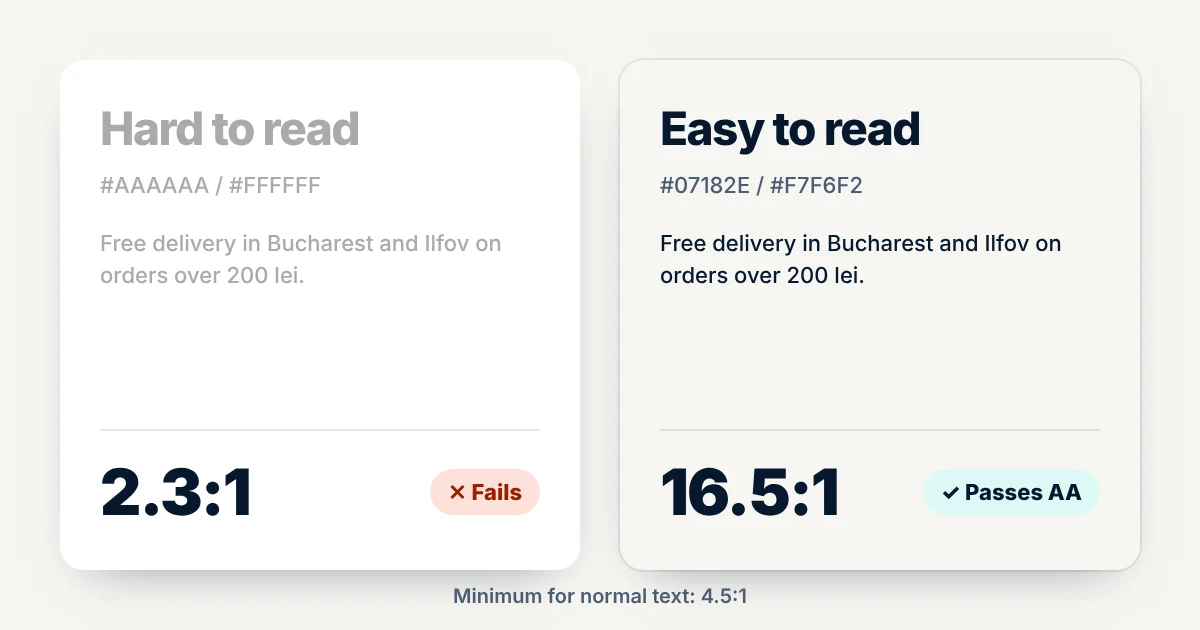
Poor contrast is the most common error. Pick your site's text and background colours (or type the hex code) and see instantly whether they meet the WCAG threshold: 4.5:1 for normal text and 3:1 for large text (at least 24 px, or about 19 px bold).
Free delivery over 200 lei
Order today and get it within 24 hours in Bucharest and Ilfov.
2.32:1
- Normal text (4.5:1)
- Large text (3:1)
10-minute checklist: test your own website
No special software needed. Open your site on a computer and on your phone and tick what's already fine. Your score and recommended next steps appear instantly.
Tick what's already fine to see your score.
For a free automated check, try PageSpeed Insights (it has an “Accessibility” section) or the WAVE extension from WebAIM. Keep in mind that automated tools only catch part of the problems. The keyboard and text-zoom tests are still on you.
What to avoid
- “Magic” accessibility widgets. A button promising compliance with a single script doesn't fix the code underneath. In 2025, the US Federal Trade Commission (FTC) ordered a company selling such a tool to pay $1 million over deceptive claims.
- Pop-ups you can't close with the keyboard. Cookies, newsletter, discounts: if Esc or Tab can't close them, they block the whole site.
- Text baked into images. Banners with the offer written in the picture can't be read by screen readers or by Google. Put the offer in text too.
- Untested add-ons. On Shopify stores the theme may be fine, but apps added later (chat, reviews, pop-ups) can break navigation. Test after every new app.
FAQ
I have a business website. Do I need to do anything?
If the site only presents your business and has a contact form, with no online sales to consumers, it generally falls outside Law 232/2022. The same rules still make the site easier to use and better understood by Google, so they're worth applying.
I'm a microenterprise. Am I exempt?
Yes, the law exempts microenterprises providing services: fewer than 10 employees and no more than €2 million annual turnover. If your business grows past these thresholds the obligations apply, so it's simpler to build accessibly from the start.
Does Shopify make my store accessible automatically?
Not entirely. Good themes start from a sound base, but the colours you choose, product alt text, installed apps and the content you add are up to you. It's worth re-checking the store after every major change.
How much does it cost to make my website accessible?
It depends on the site. On a new site, accessibility costs very little if it's planned from the start. On an older site, contrast, alt text and form fixes are usually quick; structural issues may call for a redesign.
Note: this article is for information only and isn't legal advice. For your company's exact situation, talk to a lawyer.
Sources
- Law no. 232/2022 on accessibility requirements for products and services, full text in Romanian (legeaz.net)
- European Commission, European Accessibility Act
- BPV Grigorescu Stefanica, New accessibility requirements for products and services in Romania
- WebAIM, The WebAIM Million (2026)
- Newsweek Romania, Nearly 1,000,000 Romanians hold a disability certificate (August 2026, ANPDPD data, in Romanian)
- W3C, WCAG 2 Overview
- U.S. Federal Trade Commission, FTC Order Requires Online Marketer to Pay $1 Million (January 2025)
Want to know how accessible your website is?
We'll review your website or Shopify store for free and send you a list of what's worth fixing, plus a fixed quote. No website yet? We'll prepare a free mockup, built accessibly from day one.
Get a quote or a free mockup