How to get your business recommended by ChatGPT and Google AI
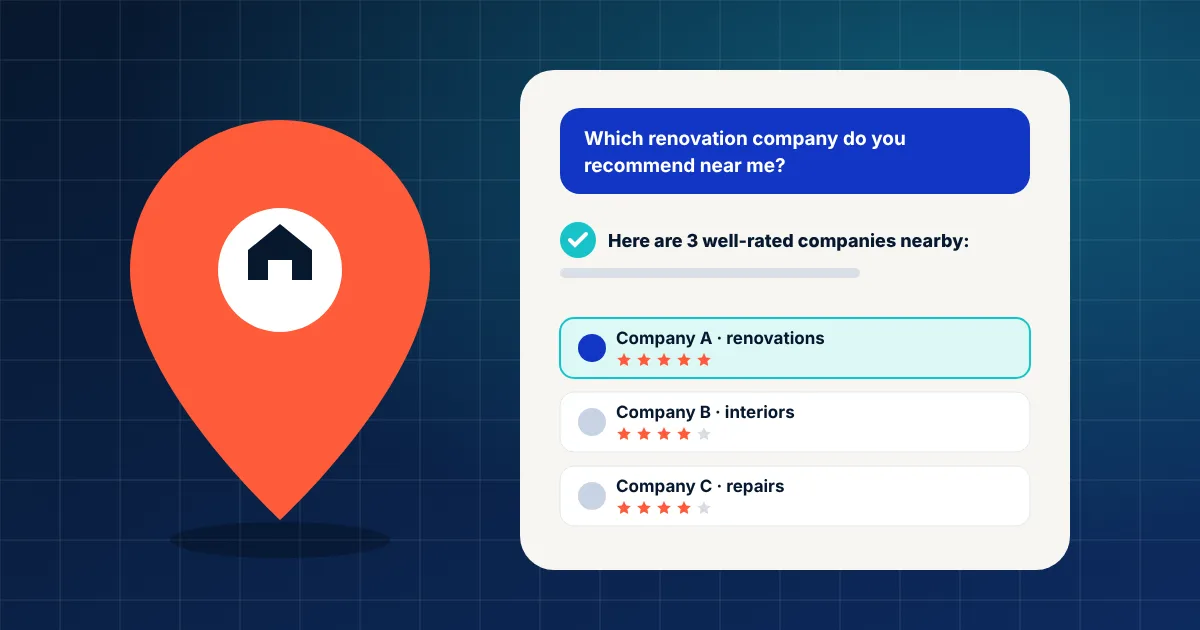
A homeowner near Bucharest needs their bathroom redone. Until recently they would have typed “bathroom renovation Chiajna” into Google. Now, more and more often, they open ChatGPT or Google's AI Mode and simply ask: “Which good renovation company do you recommend in my area?”
They get three or four names, with a summary of the reviews. The question for you is simple: is your business on that list?
Why it matters now
A few numbers that show how fast this is moving:
900M
weekly ChatGPT users, according to OpenAI (February 2026)
45%
of US consumers use ChatGPT or other AI tools to find local businesses (up from 6% a year earlier)
8% vs 15%
how often people click a Google result when an AI summary appears, versus when it doesn't
In Romania, Google launched AI Mode in Romanian back in October 2025, so your customers already have it. The figures above come from OpenAI's announcement, BrightLocal's 2026 survey (1,002 US consumers) and a Pew Research analysis of almost 69,000 searches. The studies are from the US, but the direction is the same everywhere: more people get a ready-made answer and click less. If you're not in the answer, many people never see you at all.
The good news: no tricks needed
Google states plainly, in its official guide to AI features, that there are no additional requirements or special optimisations needed to appear in AI Overviews or AI Mode. The page just needs to be indexed and follow the usual Google Search rules.
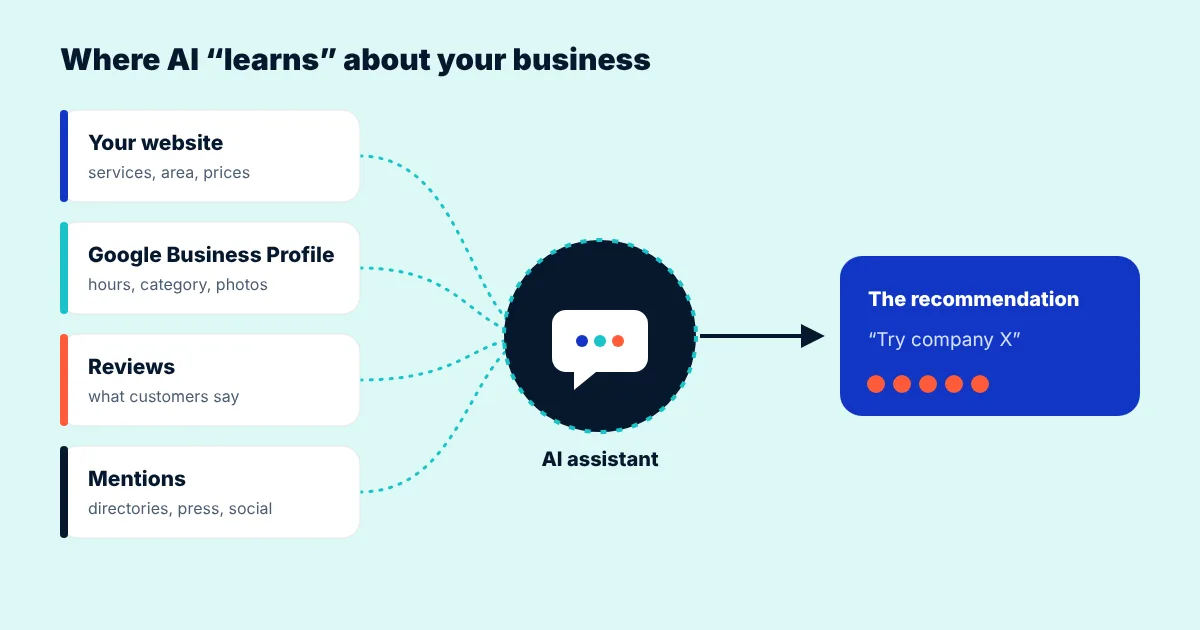
In other words, AI “reads” the same things a careful customer would: your website, your Google Business Profile, your reviews and what others say about you. The clearer and more consistent that information is, the easier it is to get recommended.
7 practical steps for a small business
1. Let the bots read your site
Check your robots.txt file (at your-site.ro/robots.txt). If it blocks everything, neither Google nor ChatGPT can find you. OpenAI explains in its documentation that sites blocking OAI-SearchBot won't be shown in ChatGPT search answers. GPTBot is different: it collects data for model training, and you can block that one separately if you prefer.
2. Say clearly what you do, where and for whom
AI doesn't guess. If your site only says “Complete solutions for your home”, it won't know you do bathroom renovations in Chiajna, Bragadiru and Sector 6. Put it in text, not just images: your services, the towns or districts you cover, your hours, a price range and what sets you apart. Ideally, one page per key service.
3. The same details everywhere
Your business name, address and phone number should be identical on your site, your Google Business Profile, Facebook and online directories. An old number or address somewhere sends AI mixed signals.
4. Detailed reviews, not just stars
“Great, recommended!” helps a little. “They redid our bathroom in 10 days in Chiajna, tidy and on budget” helps a lot, because it says what, where and how. When you ask for a review, ask customers to mention the service and the area. And reply to every review, negative ones included.
5. Answer customers' real questions on your site
What do people ask you on the phone? “How long does it take?”, “Do you work weekends?”, “Do you cover Popești-Leordeni?”. Put the answers in an FAQ section. That's exactly how customers phrase their questions to AI, too.
6. Structured data that matches what's on the page
Structured data (the LocalBusiness schema) tells search engines, in a standard format, who you are, where you are and when you're open. Google notes there's no special “AI” markup, but insists structured data must match the visible text on the page.
7. A fast site that works well on mobile
Page experience is one of Google's basic recommendations. A slow site, or one that's awkward on a phone, loses the customer even after AI has recommended you. Check your speed for free with PageSpeed Insights.
The 2-minute test: how ready is your business?
Tick what you already have. Your score updates instantly, and below it you'll see what's worth doing first.
Tick what you already have to see your score.
What to avoid
- Promises like “we'll get you to number one in ChatGPT”. Nobody controls what an AI answers. You can only raise your chances, with good, consistent information.
- “Magic” AI files or code. Google says explicitly that you don't need new files, special AI text or special markup to appear in its AI features.
- Dozens of rushed, auto-generated articles. Copied or keyword-stuffed content won't help. One useful article written for your customers is worth more.
- Bought reviews. They break Google's rules and, once spotted, do more harm than good.
How do you check the result? Once a month, ask ChatGPT, Gemini and Google's AI Mode exactly what a customer would ask (“which … company do you recommend in …”) and note whether you appear. In Google Analytics you can also see visits coming from chatgpt.com under your traffic sources.
FAQ
Do I have to pay to appear in ChatGPT or Google AI?
No. Recommendations in AI answers can't be bought. What counts is how clear and complete the information about your business is: website, Google Business Profile, reviews.
If I block GPTBot, will I disappear from ChatGPT?
Not necessarily. According to OpenAI, GPTBot collects data for model training, while OAI-SearchBot is the crawler used for ChatGPT search. If you want to appear in answers, don't block OAI-SearchBot.
Do I need a new website for this?
Not always. Often a few clearer service pages, an FAQ section and a complete Google Business Profile are enough. If your site is old, slow or poor on mobile, a redesign is worth considering.
How long until I see an effect?
It depends on how often the sources are refreshed. Changes to your site and Google profile can show up within a few weeks; reviews and mentions build up over time. It's an ongoing effort, not a one-off setting.
Sources
- Google Search Central, AI features and your website
- Romania Insider, Google introduces AI Mode searches in Romanian (2025)
- Search Engine Land, OpenAI: ChatGPT now has 900 million weekly active users (February 2026)
- BrightLocal, Local Consumer Review Survey 2026
- Pew Research Center, Google users are less likely to click on links when an AI summary appears (July 2025)
- OpenAI, Overview of OpenAI crawlers
Want to see how your business looks to AI?
We'll review your website and Google profile for free and send you a fixed quote. No website yet? We'll prepare a free mockup so you can see how it would look.
Get a quote or a free mockup